Overview
FollowUp 360 is a SaaS product I designed and built for payment recovery. It automates follow-up emails for unpaid invoices and stops them as soon as an invoice is paid, so small businesses get paid without awkward chasing or spreadsheets.
The problem
For many small businesses, late payments are not a finance problem; they are a time problem. Someone has to notice the overdue invoice, write a polite reminder, remember to send another one, and keep track of who replied. That work is repetitive, easy to forget and uncomfortable to do. Every missed follow-up delays cash the business has already earned.
Who it’s for
Service businesses, freelancers and small teams that invoice clients regularly and want a reliable, polite follow-up process without hiring someone to run it.
Design decisions
- Calm, not pushy. Payment reminders affect client relationships, so the interface and the message templates are designed to sound professional and friendly rather than aggressive.
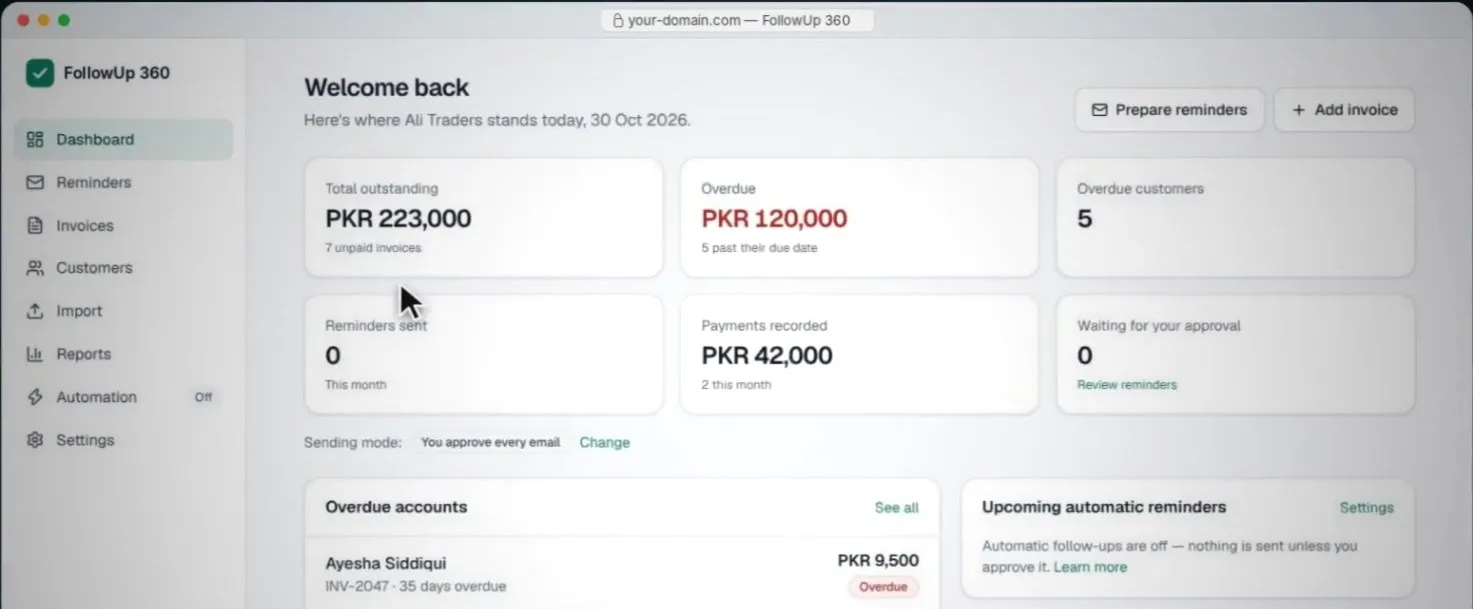
- Everything important on one screen. The dashboard shows what is overdue, what is scheduled and what has been paid, so an owner understands the situation in seconds.
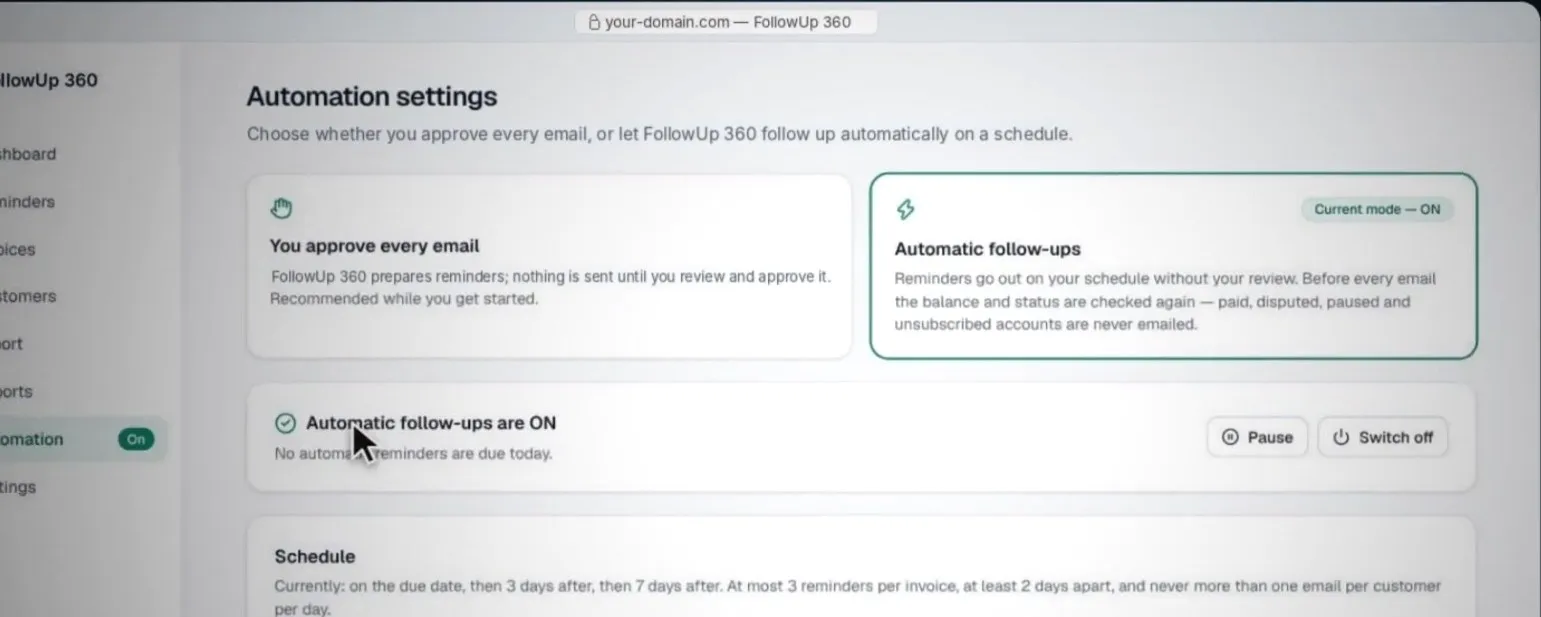
- Set it once. The reminder schedule is configured once and then runs on its own; the owner only steps in when something needs a personal touch.
- Stop the moment it’s paid. Follow-ups end automatically when a payment is recorded, so a client who has already paid never receives another reminder.
What I built
- Dashboard: total outstanding, overdue amounts, overdue customers, reminders sent, payments recorded and anything waiting for approval, all on one screen.
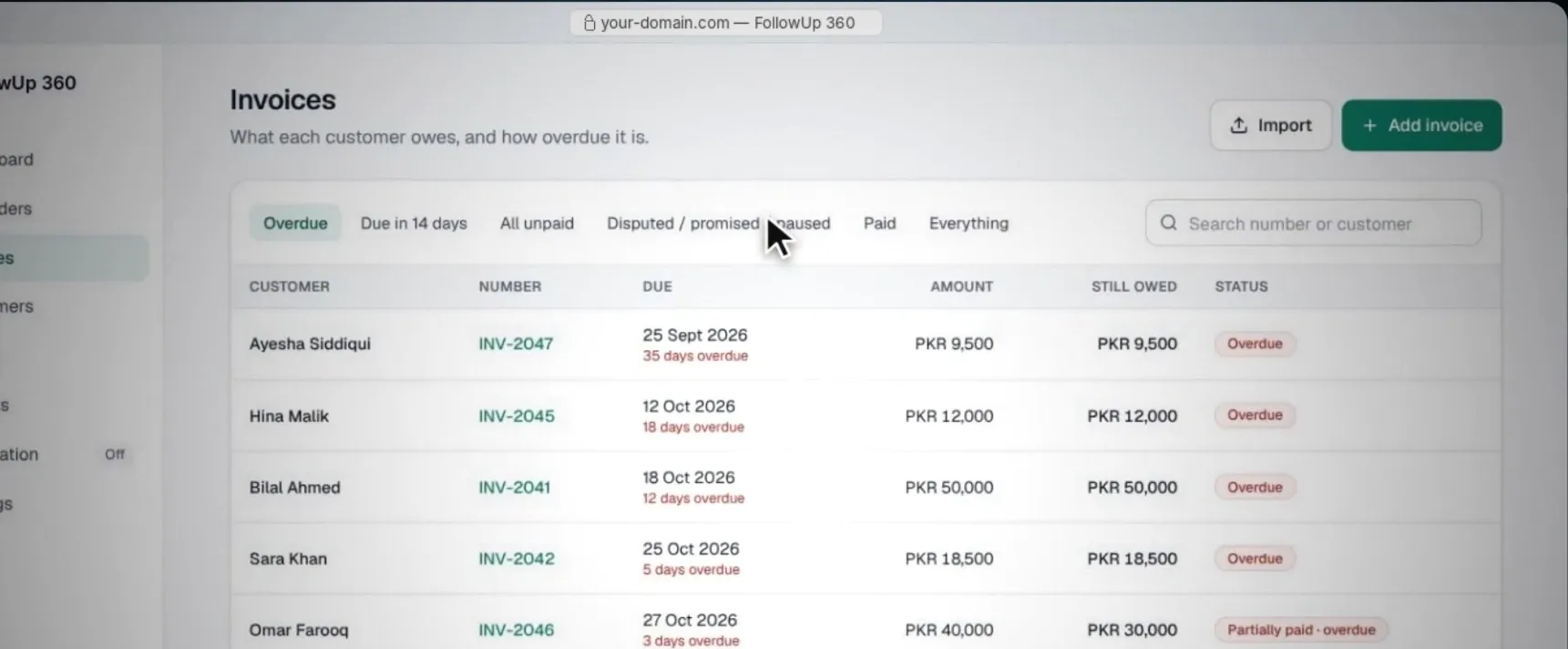
- Invoices: every customer’s invoices, filtered by overdue, due soon, unpaid, disputed or promised, and paid, with clear status labels and CSV import.
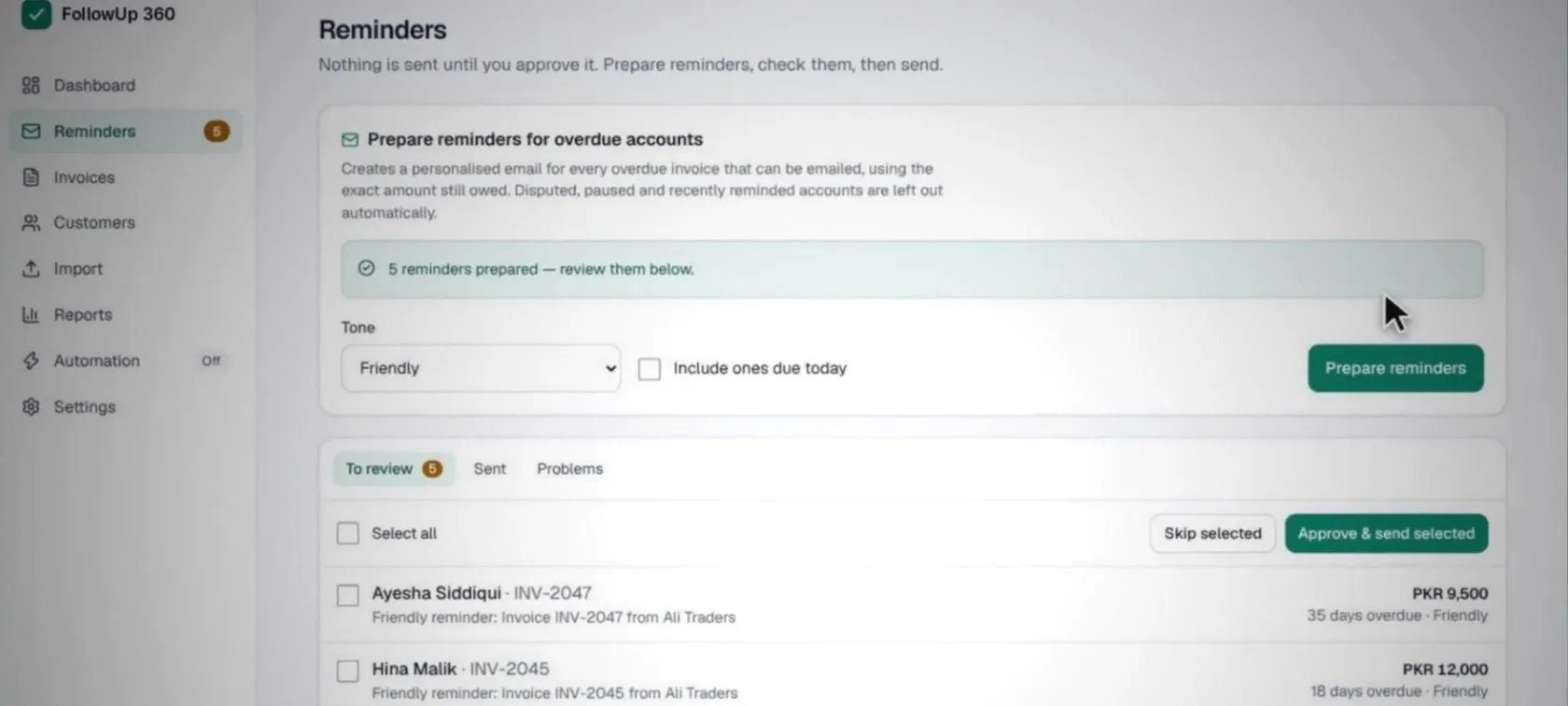
- Reminders: personalized reminder emails prepared for every overdue invoice, with a choice of tone (friendly, professional or firm but polite), reviewed and approved before sending.
- Two sending modes: approve every email, or switch on automatic follow-ups that run on a schedule, re-checking balances before each send so paid, disputed or paused accounts are never emailed.
- Payments: full or partial payments recorded against invoices, with the remaining balance updated automatically.
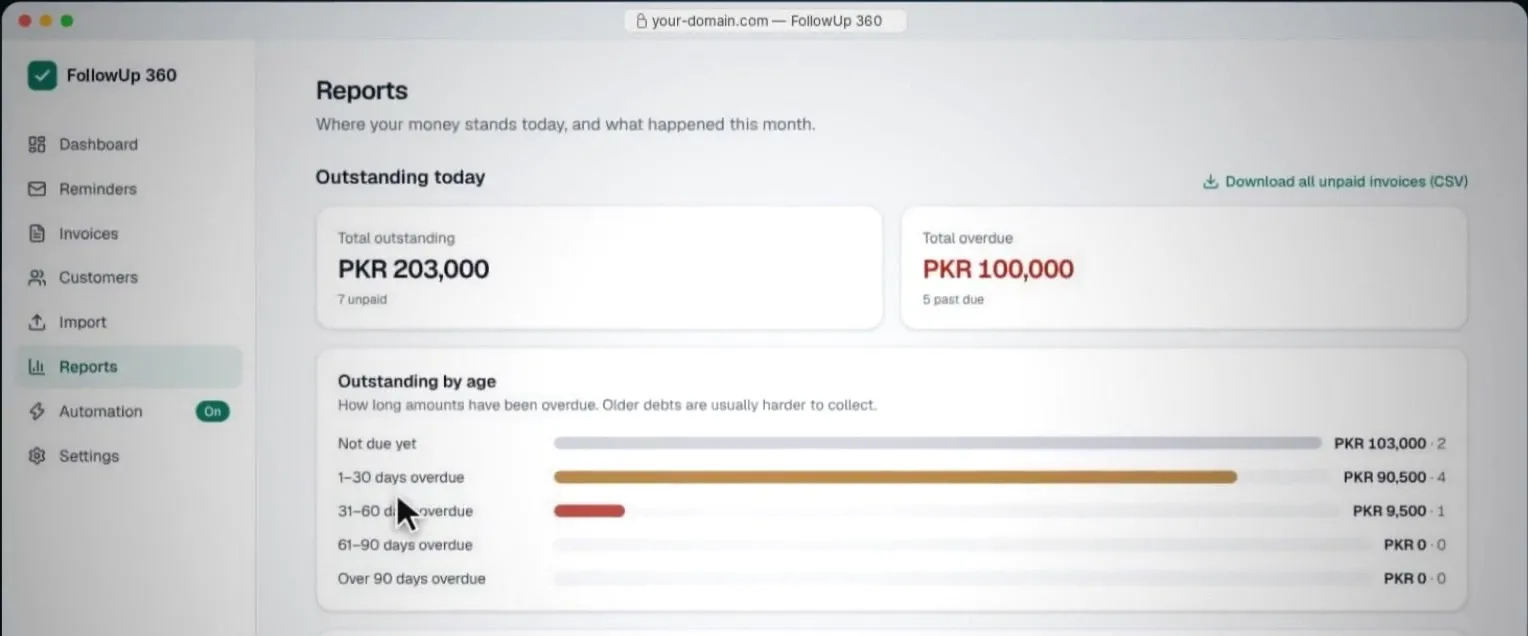
- Reports: what’s outstanding today, overdue amounts by age, and a breakdown by customer, with a CSV download.
What I learned
Building a product end to end taught me to think beyond screens: about the moments a user feels stress, the defaults that save them effort, and how automation should stay in the background until it is needed.